


Help Center
-
Free-standing Kitchens
-
Design Your Kitchen
-
Online Kitchen Planner
-
- What is the Canvas?
- What do each of the buttons do?
- What can you use custom units for?
- Can I see diagrams of the units?
- When do you use extras on your plan?
- How do you start a new plan?
- How do you continue with an existing plan?
- What do you use the ruler for?
- Can I move multiple units at once on the canvas?
- How do I download the layout so that I can print it?
- How to I submit my layout to get a quote?
-
Construction
-
Costs
-
Ordering
-
Delivery
-
Kitchen Installation & Maintenance
-
Environment & Community Impact
< All Topics
Can I see diagrams of the units?
You can easily access diagrams of our units by downloading our Price lists, which provide a comprehensive view of all the units available. Alternatively, you can click on “View Unit Diagrams” located on the right-hand side of the main title for each section (e.g., Sink Unit). This will download a PDF document containing all the diagrams for that specific section.
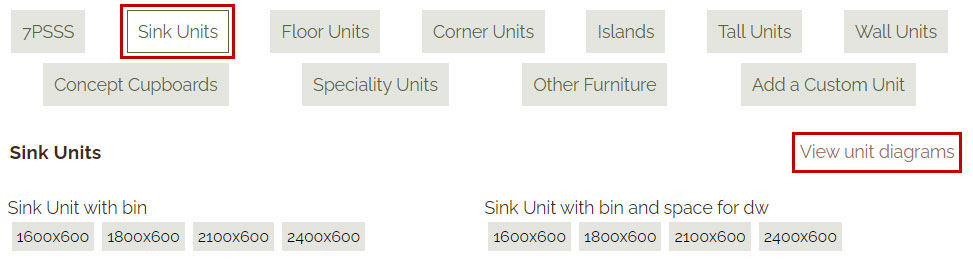
View Unit Diagrams
Quick Links