


-
Free-standing Kitchens
-
Design Your Kitchen
-
Online Kitchen Planner
-
- What is the Canvas?
- What do each of the buttons do?
- What can you use custom units for?
- Can I see diagrams of the units?
- When do you use extras on your plan?
- How do you start a new plan?
- How do you continue with an existing plan?
- What do you use the ruler for?
- Can I move multiple units at once on the canvas?
- How do I download the layout so that I can print it?
- How to I submit my layout to get a quote?
-
Construction
-
Costs
-
Ordering
-
Delivery
-
Kitchen Installation & Maintenance
-
Environment & Community Impact
What is the Canvas?
The canvas is the primary workspace for your kitchen design, with each block representing 100mm by 100mm. Make sure that everything stays on the canvas when you are planning. If anything goes off the canvas into the white area, it will be cut off and will not be sent through when you request a quotation.
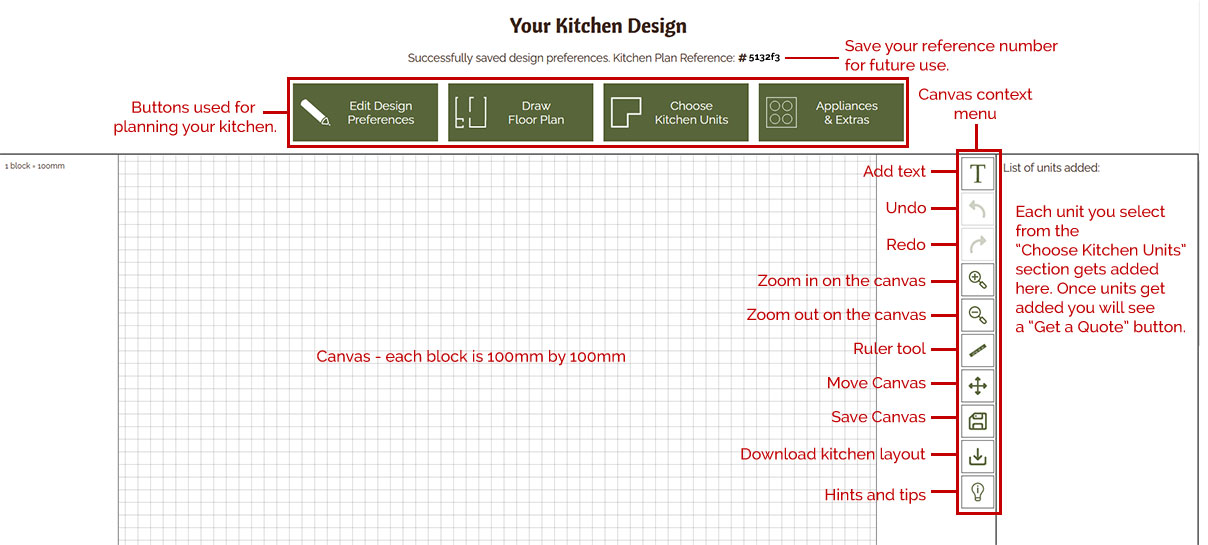
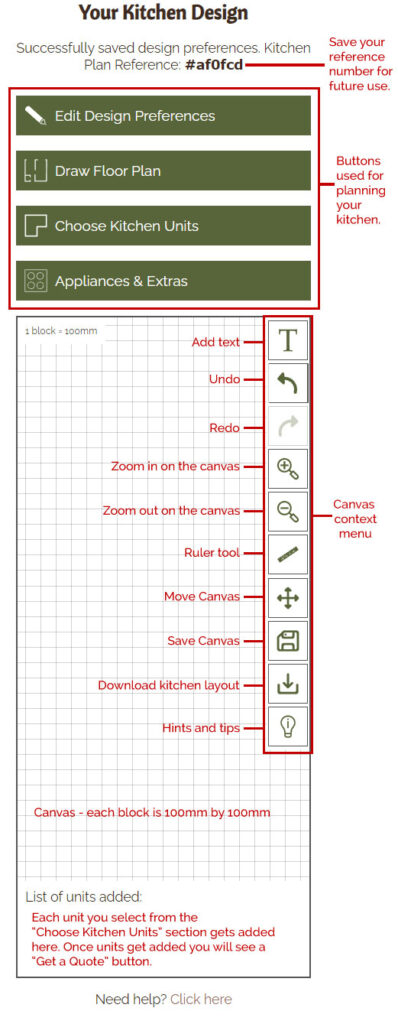
Kitchen Planner Interface Overview
To move the canvas, you can use the move canvas button. Select the button to activate it, and it will turn green. On desktop move your mouse over the canvas, then click and hold to drag it around. On mobile, press the canvas and hold your finger down to move it. Once you’ve finished moving the canvas, click the move canvas button again to deactivate it, the button will turn white. You will likely need to move the canvas frequently during your kitchen plan, especially for larger kitchens with sculleries.
Additionally, you can zoom in and out of the canvas using the zoom in and out buttons. These buttons do not stay green when activated.
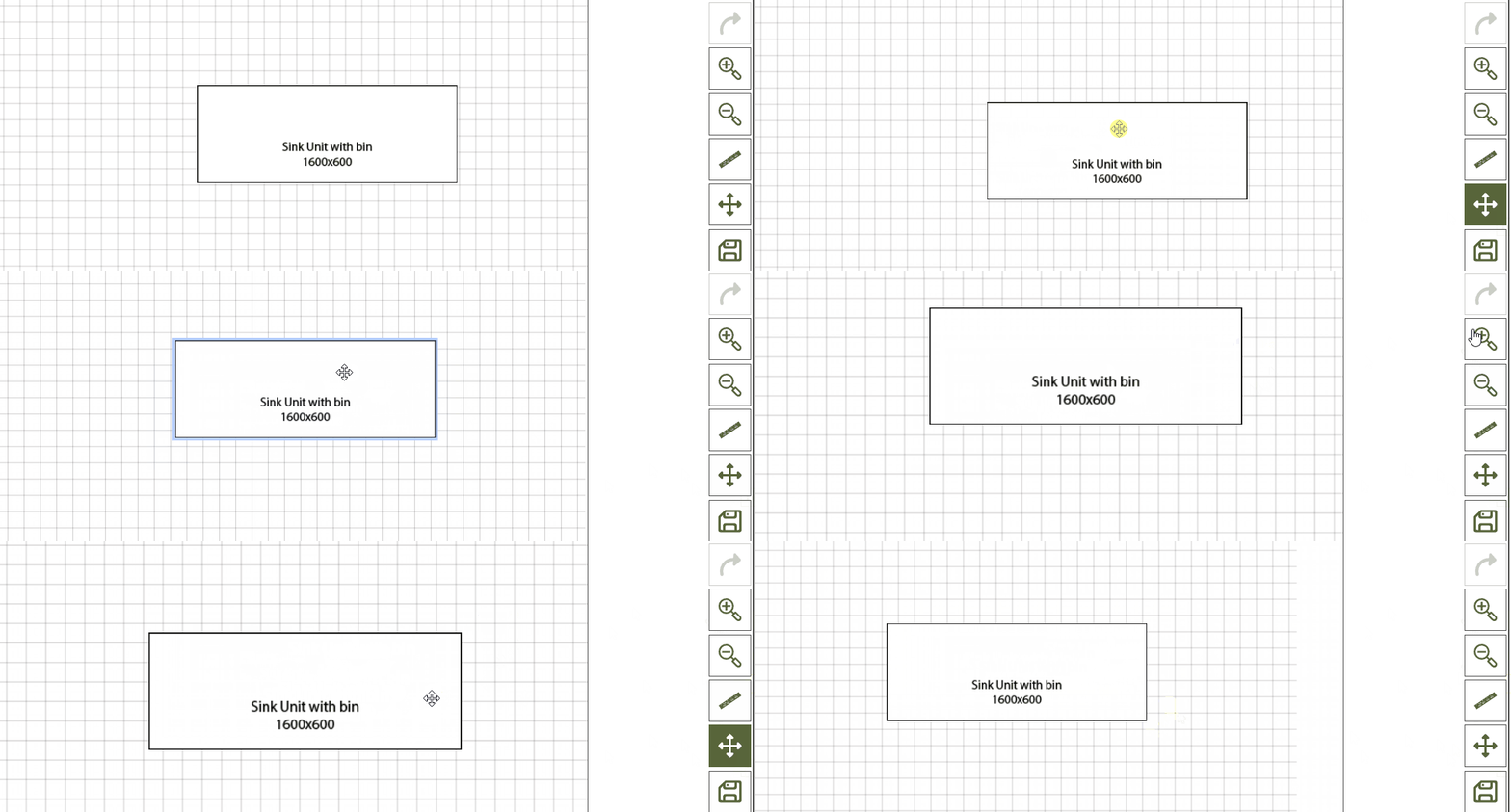
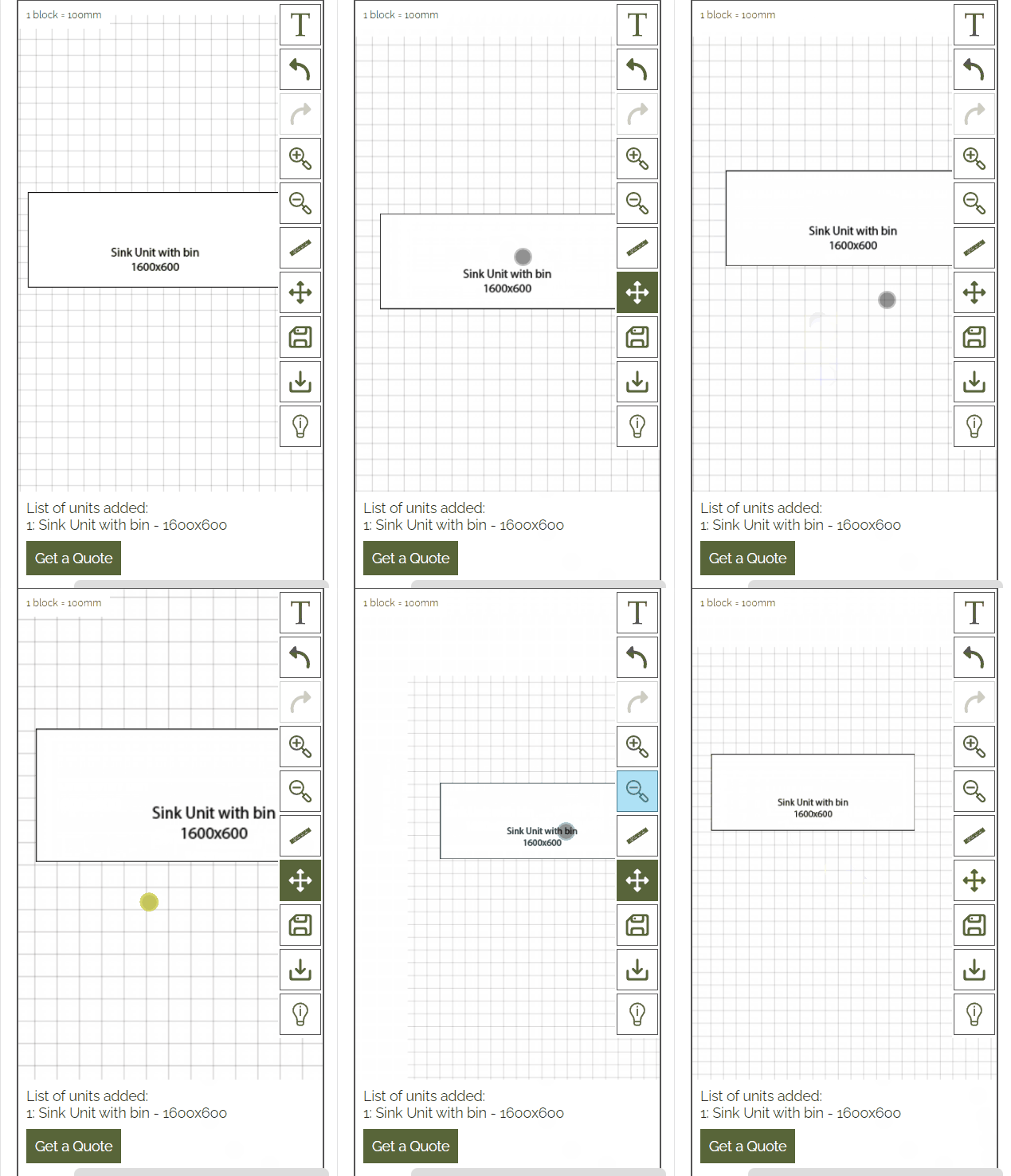
Move Canvas & Zoom